
Although Spotify has more than 80 million pieces of music, for some users with unique tastes, like fan art and cover songs, playing local files is a must. And the sound quality of playing local files will not be limited by Spotify.
Besides, uploading music that isn’t on Spotify to your library so everything’s in one place sounds more convenient.
To add local files into Spotify:
- You’ll need to have the Spotify application installed rather than the web browser.
- You also need to be a Spotify Premium user. If you haven’t upgrade your Spotify account to Premium, you can get a cheap Spotify Premium at GamsGo.
If you meet the criteria, you can follow these steps to play your local music.
Launch the program and make sure you’re logged into your account.
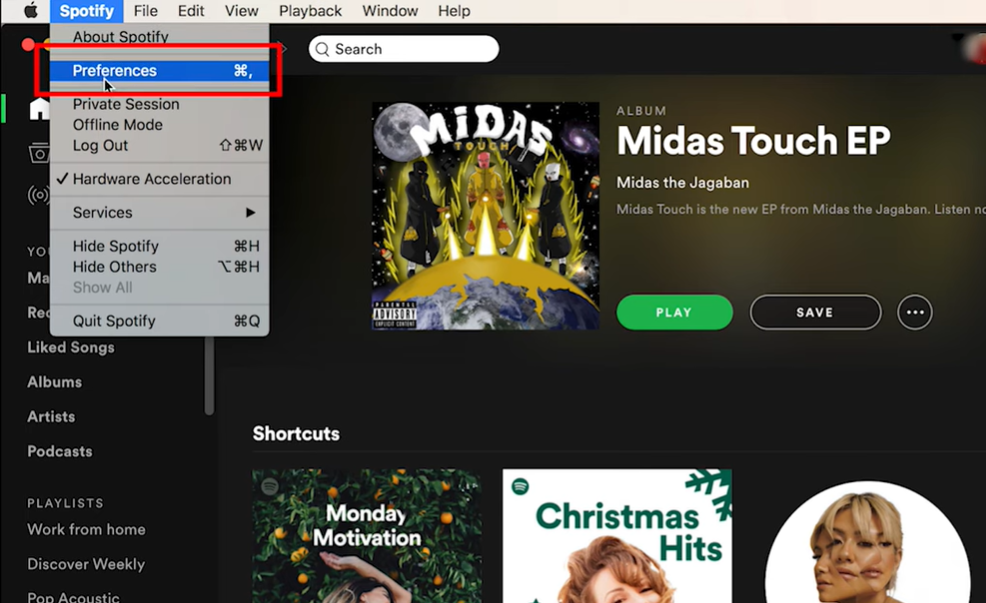
Click on Spotify and then Preferences.
Scroll down until you get to the Local Files section and click this button to allow these files to be shown on the Spotify app.
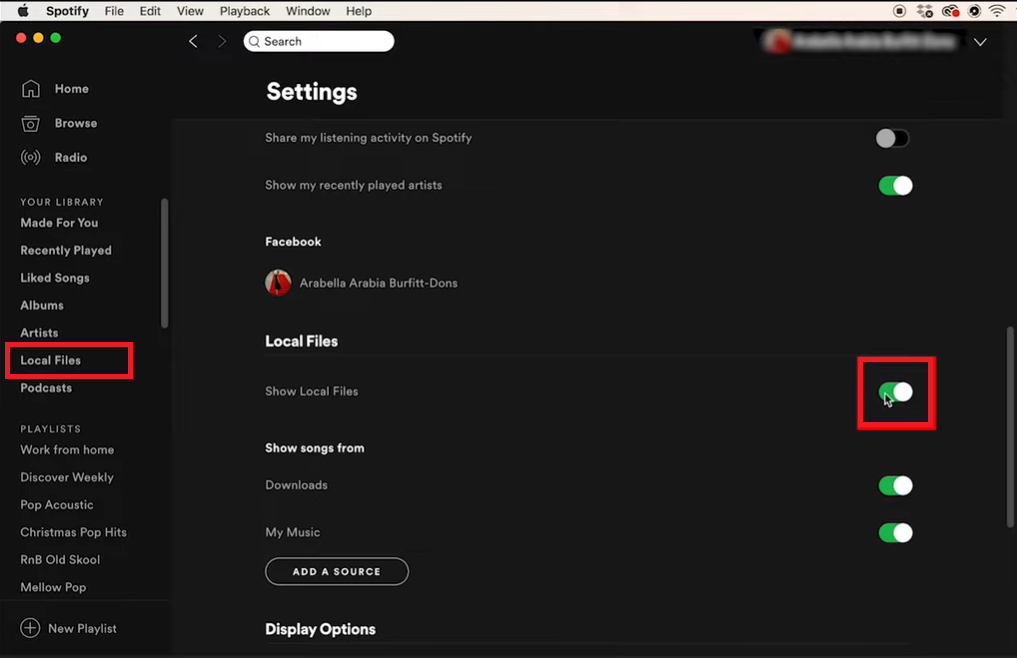
On the left hand side a Local Files name will now appear.
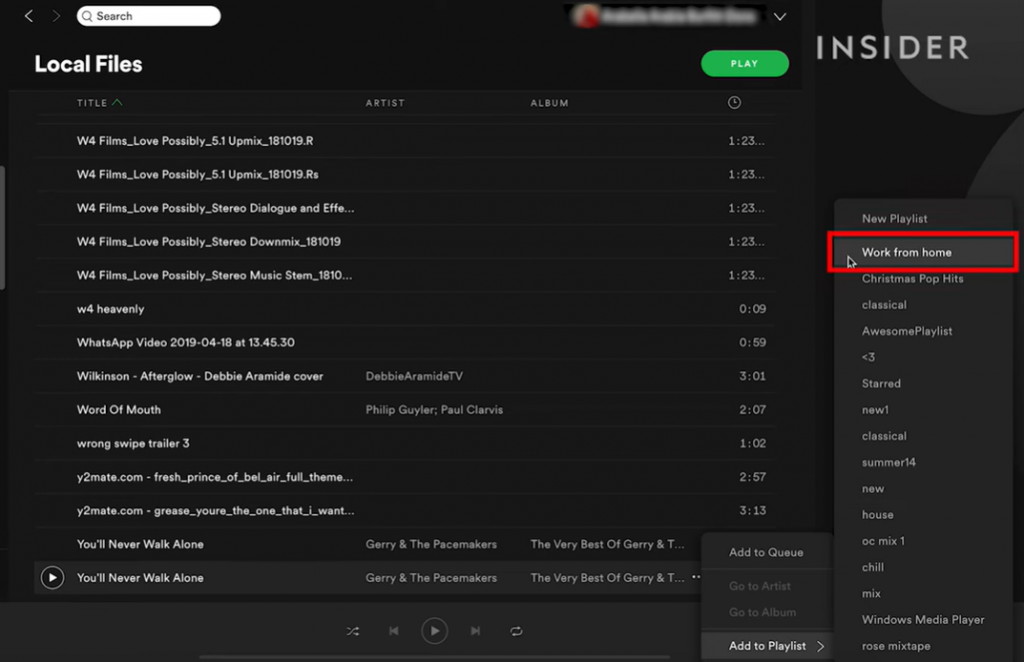
Click on it and you’ll see lots of audio files from your computer listed.
Now go to your finder on mac or my computer on windows and find the file you want to add.
Copy the file and paste it in your downloads folder.
Back in Spotify if we scroll down the local files list, you’ll see it appear at the bottom.
Click on the three dots icon on the track and select add to playlist and choose one.
It will now be added to your playlist and you’ll be able to play it on your desktop.
To sync your local music to your mobile devices:
- Launch the Spotify app and make sure you’re logged into your account.
- You will find the playlist containing your local music.
- Tap on the download button and wait for the download complete.
If your local files are not showing on your mobile device, you can try the following actions.
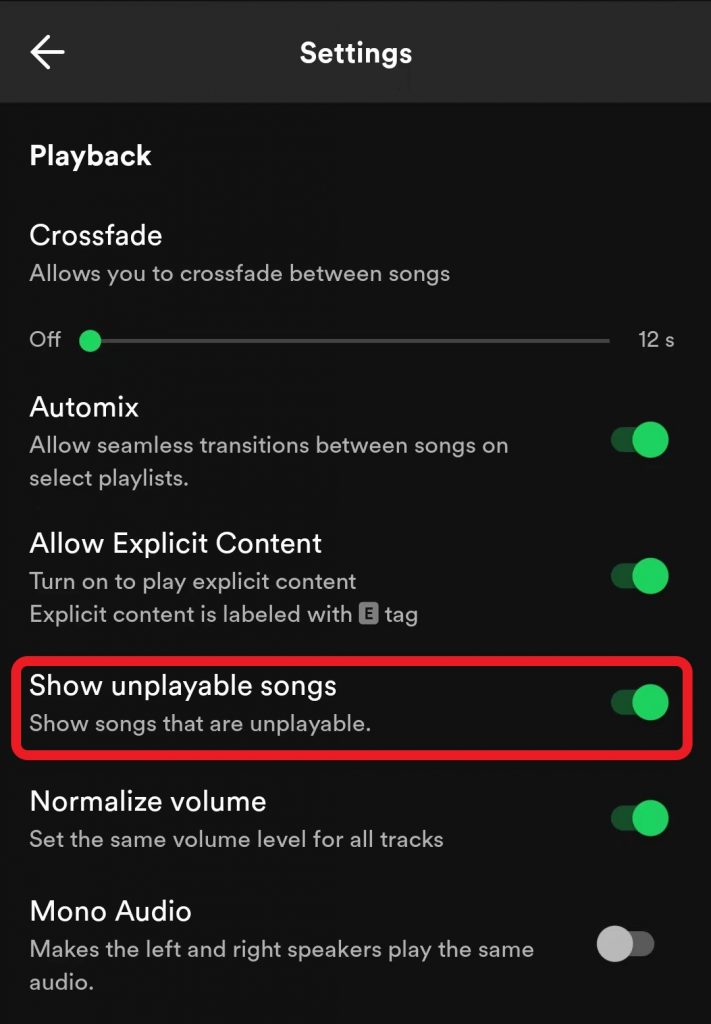
- Make sure that the Show unplayable songs option is turned on.
- Ensure that both of your devices are connected to the same WiFi network and Spotify account.
- Make sure your app is up-to-date.
With our instructions, now you are able to listen to any audio files on Spotify.
If you encounter any unexpected problems or also have something to share, leave a comment below!



-副本.png)
Leave a Reply